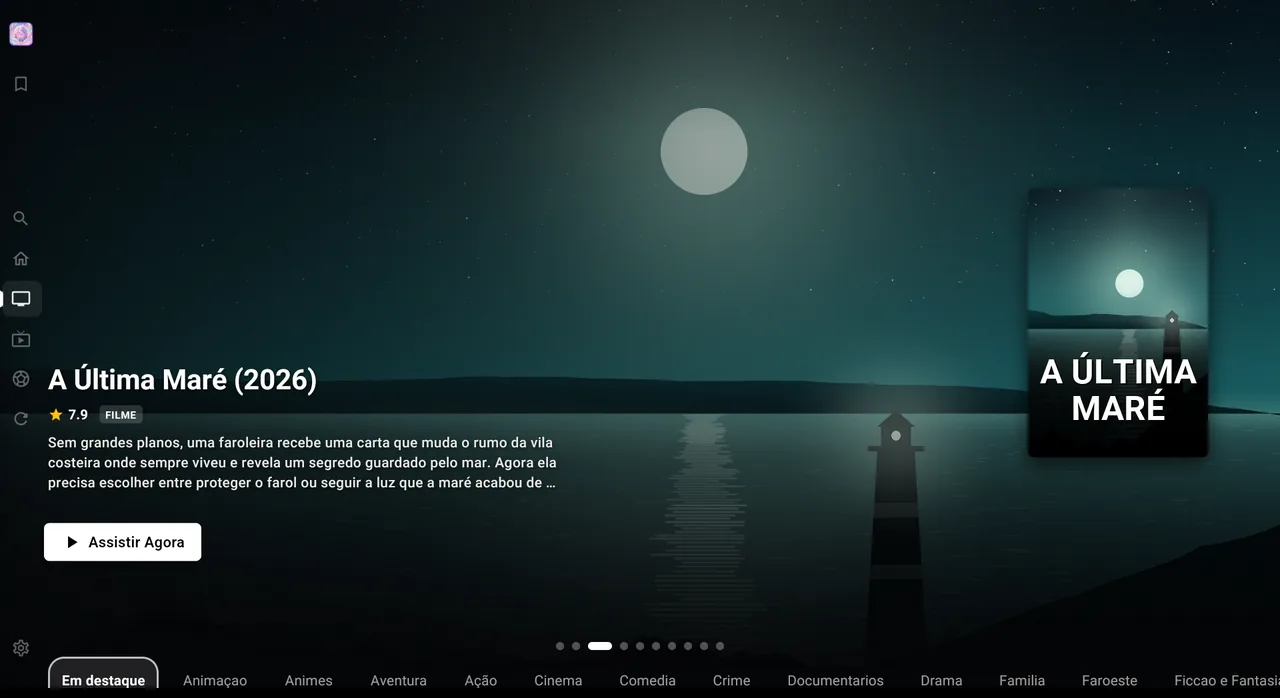
Fast, stable player
An engine tuned for large playlists: it opens, switches channels and returns to the menu without stuttering.
 Lumus PlayerAndroid · TV · Windows · Linux
Open your Xtream Codes or M3U8 playlists on your phone, tablet, TV and now your Windows or Linux PC. Fast, beautifully designed, with a program guide, profiles and parental controls.
Lumus Player is only a media player and does not provide any content.
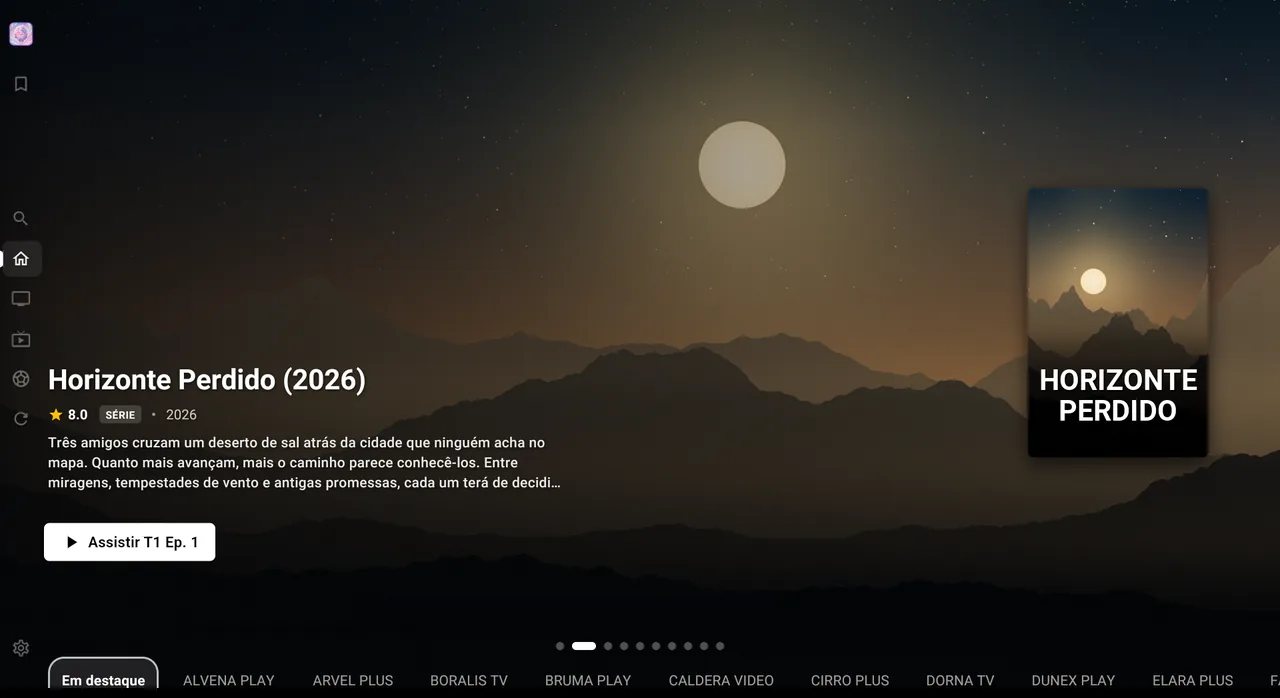
Available for
A media player for Android, Android TV and Windows or Linux PCs. It opens Xtream Codes and M3U8 playlists that you provide. Lumus Player does not include, sell or recommend any content.
Short videos showing Lumus Player on phones, tablets and TVs.
Windows or Linux PC
A native Lumus Player app for Windows or Linux, designed for a mouse, keyboard and larger screens. Sign in with your Lumus account and open your own playlists on your computer.
Windows 10 (1809+) / Windows 11 · x64
Get it onLinuxUbuntu 22.04+ / Fedora 36+ / Debian 12+ · x64 · AppImage
Check plans and payment options in the app.
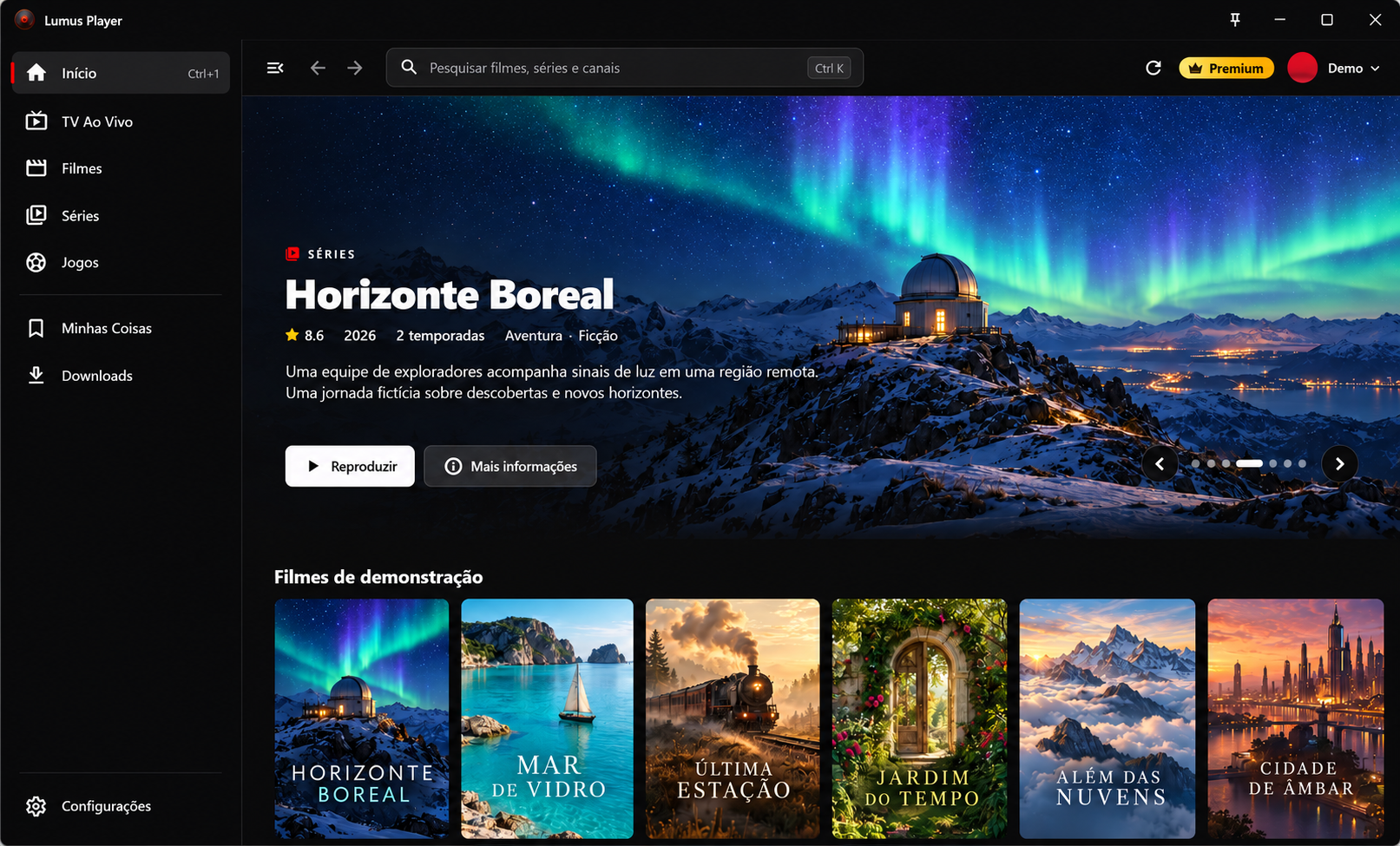
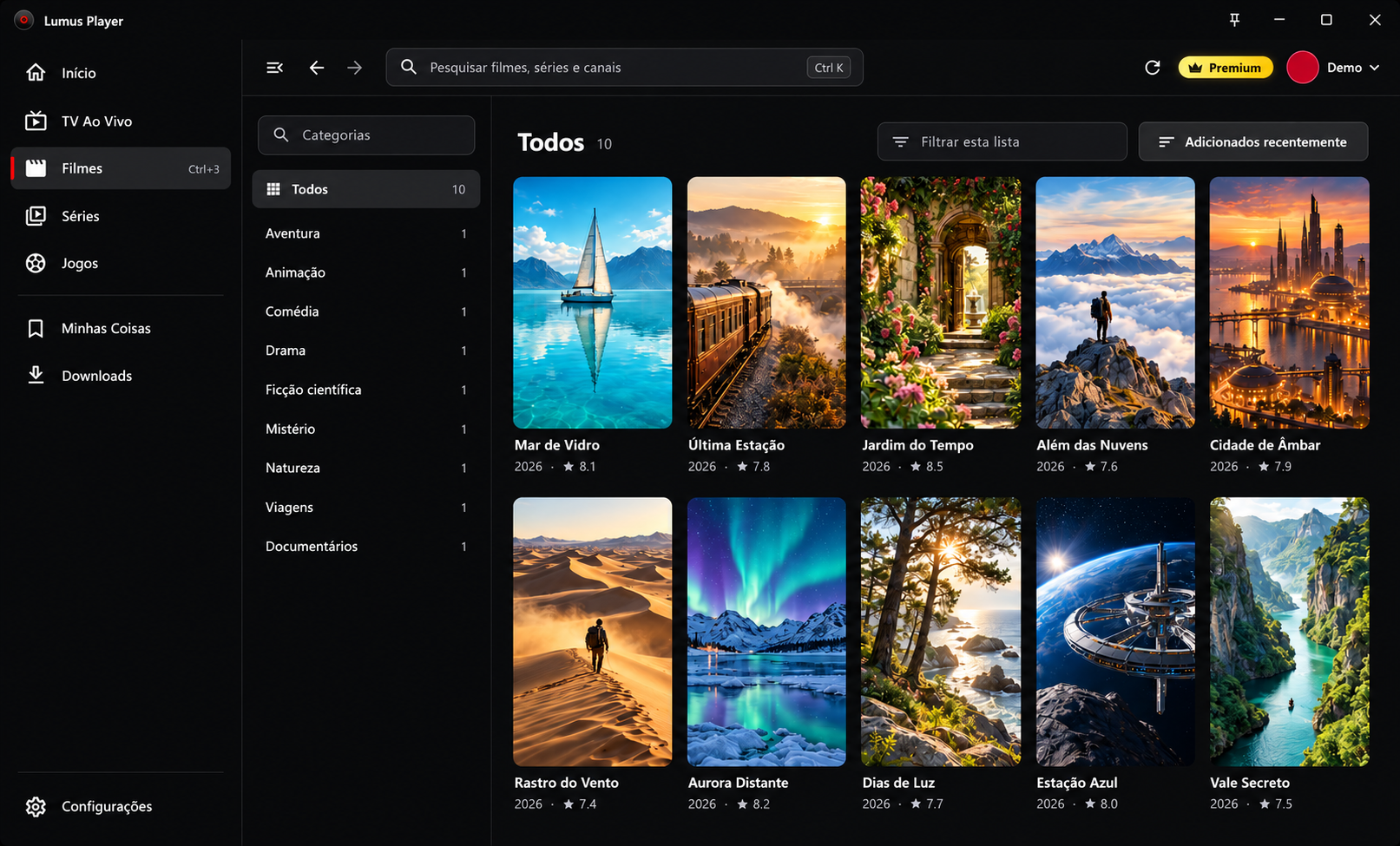
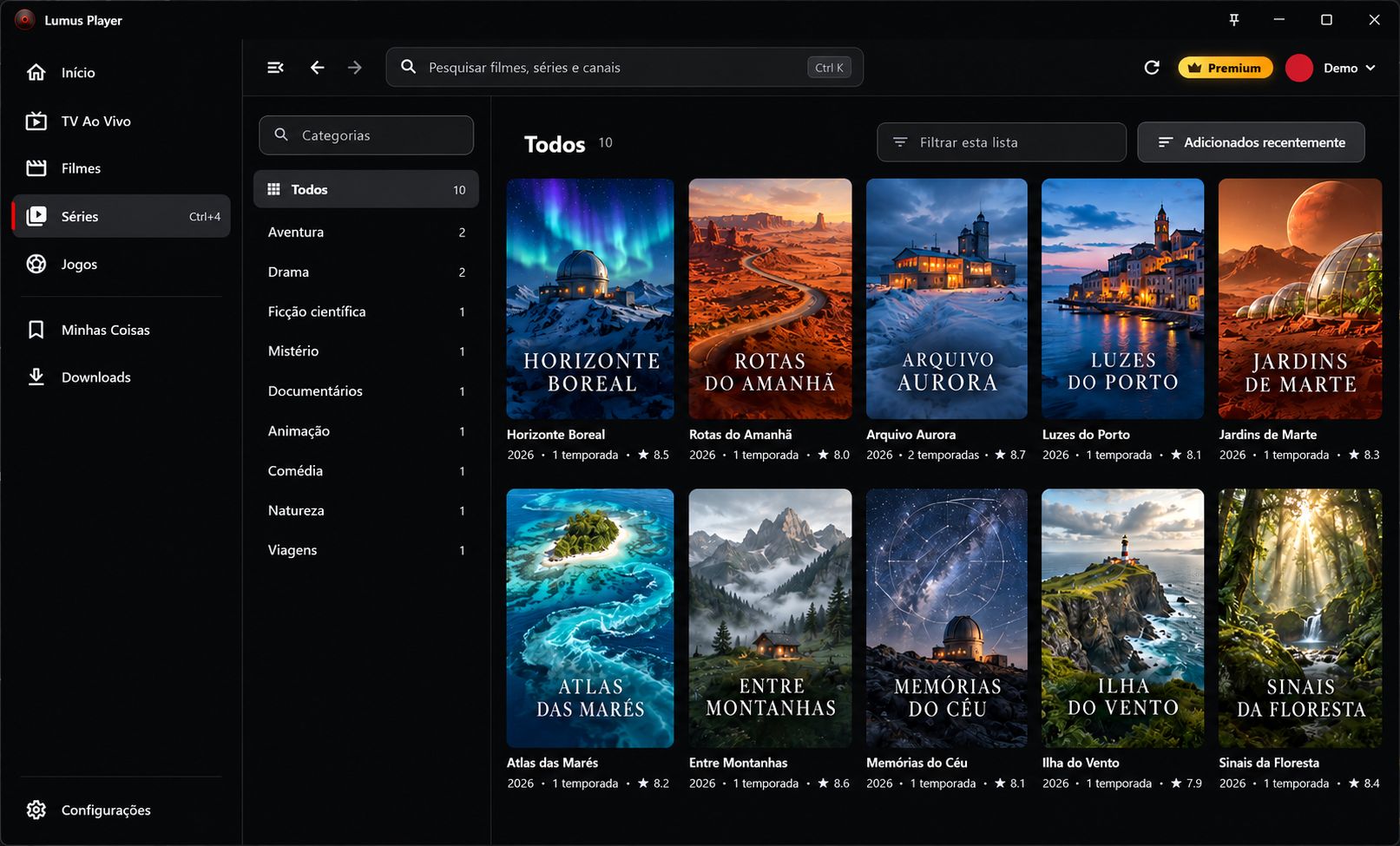
Illustrative images of the Windows interface, with fictional covers, titles, and descriptions created for demonstration. Lumus Player does not provide content.
Features
From the first login to the Sunday binge, every feature exists to get you to what you want to watch faster.
An engine tuned for large playlists: it opens, switches channels and returns to the menu without stuttering.
Add a playlist by URL or with Xtream credentials. Channels, movies and series are organized automatically.
Posters, synopses, ratings and cast loaded automatically for movies and series.
Android phones and tablets, Android TV, Google TV and Windows or Linux PCs with the same login. iPhone and iPad coming soon.
Organize your own playlists in up to 5 profiles, with a name, avatar and color. The profiles are available in your Lumus account.
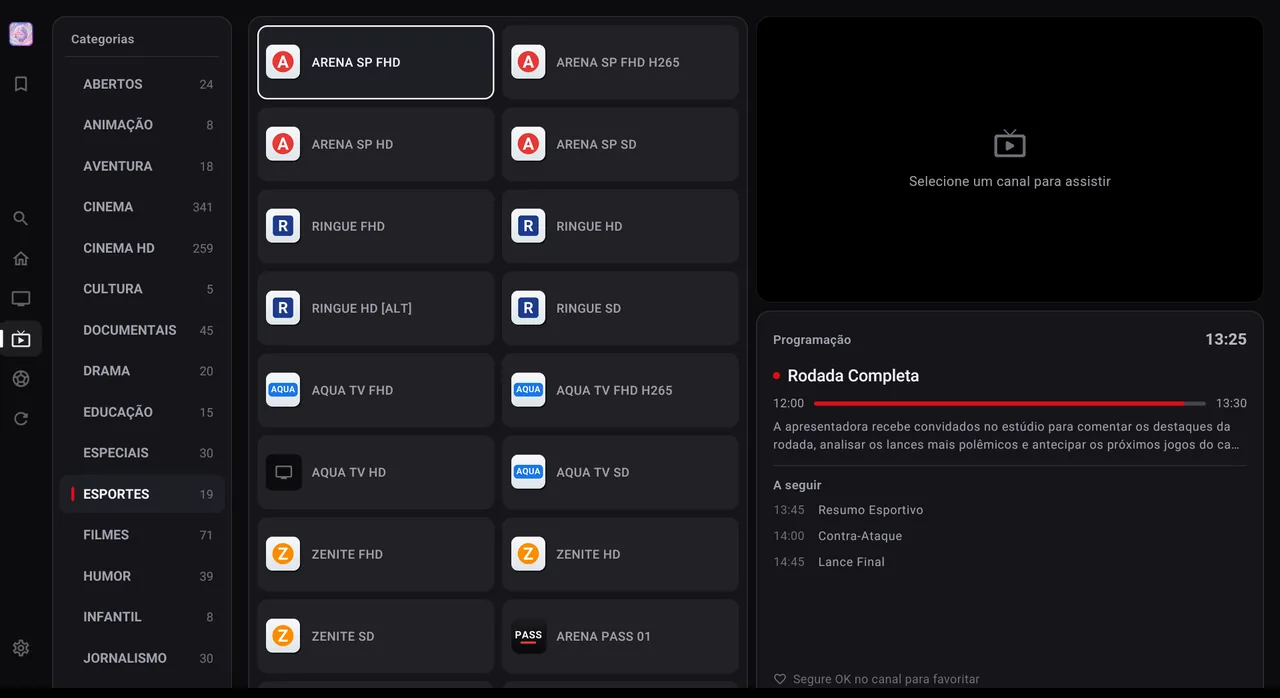
A channel grid with what is on now and what comes next, updated automatically.
Pick up movies and episodes right where you left off.
Lock categories and titles with a PIN in the app. Parental control settings stay on your device.
An interface built for your thumb: browse by category, search fast and watch full screen with gestures.
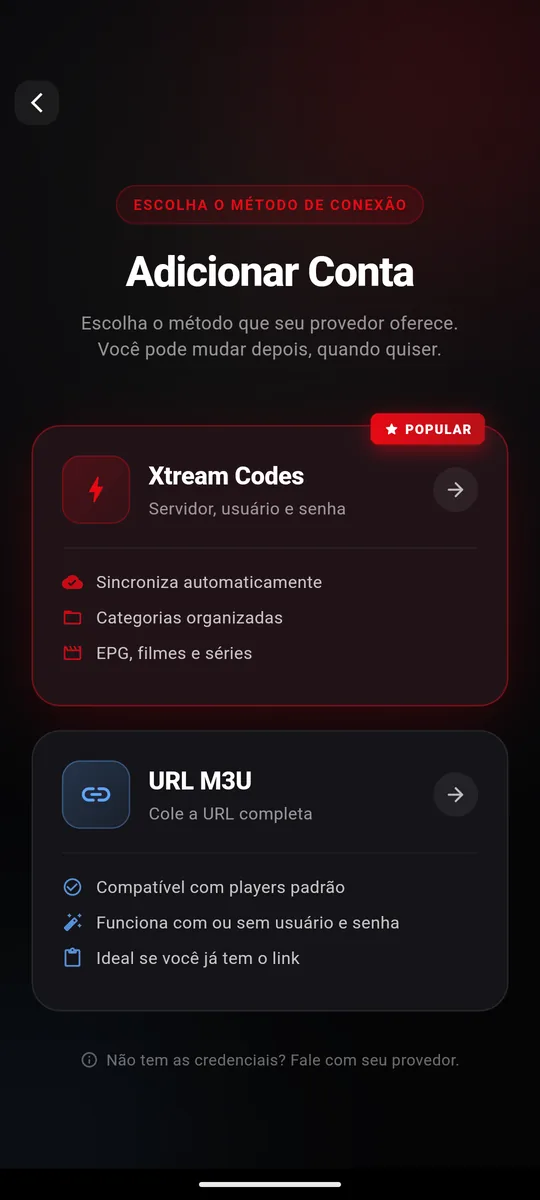
Sign in and add playlists
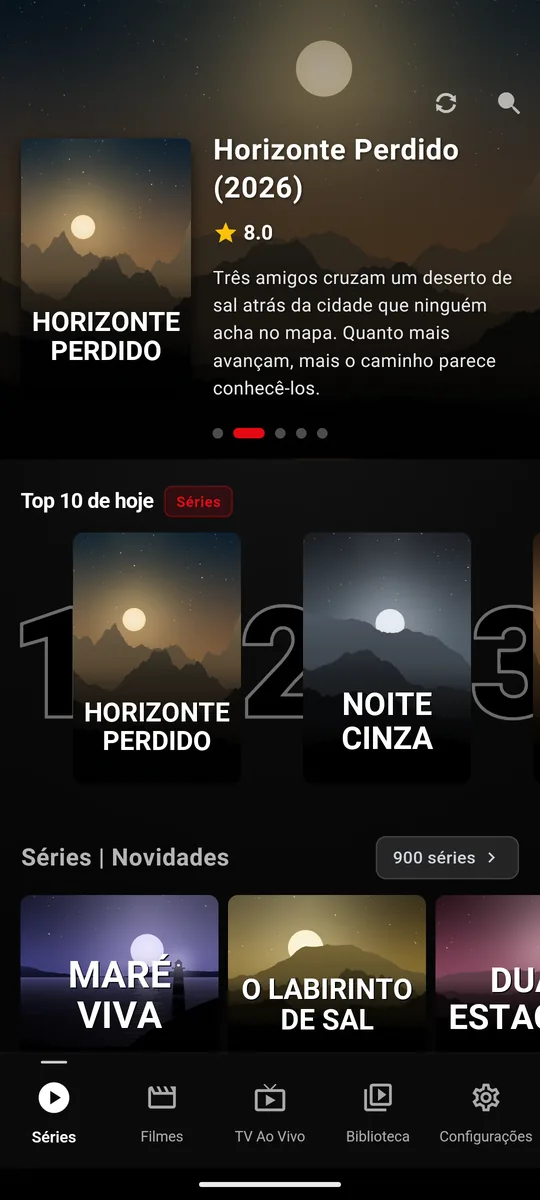
Home with highlights and Top 10
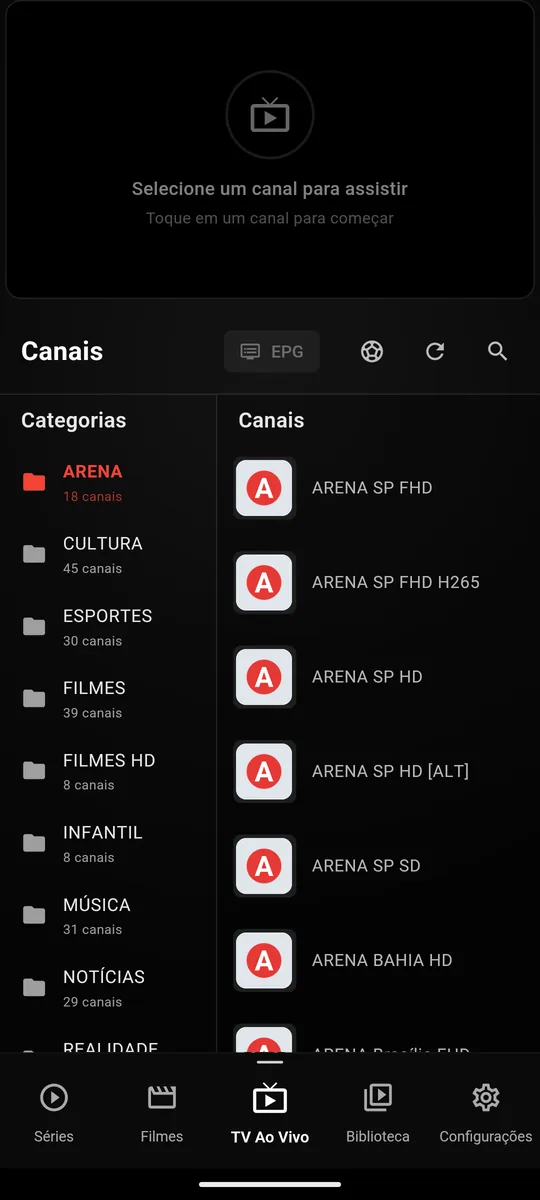
Live channels by category
A dedicated interface for the big screen: clear focus, remote navigation and smooth playback with hardware decoding.
A layout designed for viewing distance, with visible focus and remote shortcuts.
See what is on and what comes next without leaving the channel.
Hardware decoding for smooth playback even on simpler devices.
Not just another generic player. An app that cares about the details that matter in real use.
A fully translated interface, from the menus to the program guide.
Background loading and smart caching for playlists with thousands of channels.
The iOS version is in development and will use the same account as Android.
Fixes and new features published regularly on Google Play.
The interface speaks your language: menus, program guide and messages fully translated.
 العربية
 বাংলা
 Dansk
 Deutsch
 Ελληνικά
 English
 Español
 فارسی
 Suomi
 Français
 עברית
 हिन्दी
 Magyar
 Bahasa Indonesia
 Italiano
 日本語
 한국어
Plans
Start with 7 days free, unlocked automatically when you sign up in the app on your phone or TV. Then pick the period that makes sense for you.
R$ 0 for 7 days. When you sign up in the app on your phone or TV, the device gets 7 days of full Premium. The trial is valid once per device. This trial is for our app, which comes empty. We do not provide any playlist or content: you use your own.
per month
every 3 months
≈ R$ 3,83 per month
every 6 months
≈ R$ 3,58 per month
per year
≈ R$ 3,33 per month
Every plan includes
Secure payment through Google Play. Cancel anytime, with no penalty.
Phone, tablet, TV and Windows or Linux PC. Choose where to watch and start with 7 days free.
Phone, tablet, Android TV and Google TV in a single app. Start with 7 days free.
A native Lumus Player app for Windows or Linux, designed for a mouse, keyboard and larger screens. Sign in with your Lumus account and open your own playlists on your computer.
Windows 10 (1809+) / Windows 11 · x64
Ubuntu 22.04+ / Fedora 36+ / Debian 12+ · x64 · AppImage
Check plans and payment options in the app.
The iOS app is in development and coming soon to the App Store.
FAQ
Did not find what you were looking for? Talk to us.
Contact supportSign in to your Lumus account to use support.
Can't sign in, or is it about privacy or copyright? Write to suporte@lumusplayer.com.
Get it on Google Play or install it on your Windows or Linux PC. Create your account and add your own playlist.
Lumus Player is only a media player and does not provide, host or recommend any audiovisual content. Terms of use · Privacy
We only measure visits and download clicks after you confirm with Allow and save. You can uncheck each purpose, reject optional cookies or change your choice in the footer. Privacy policy.


